Guide · WhatsApp
Who the agent answers on its own
The agent answers nobody by default. You turn automatic answering on in each conversation you pick and watch every reply, switching it off whenever you want.
R$ 1,599 per month for the first 3 months, R$ 1,999 after that. Runs on your computer, with your own Claude account.
Guide · WhatsApp
Who the agent answers on its own
Turn the bot on in the conversation
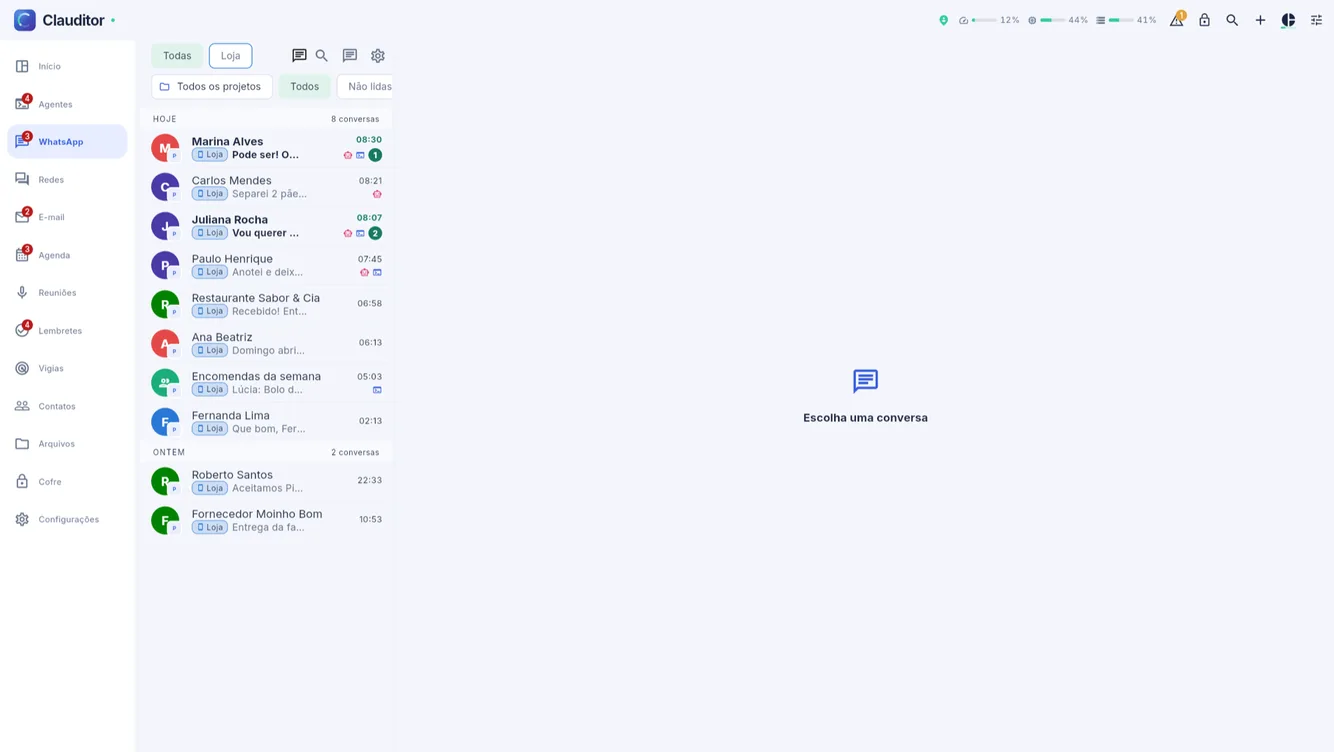
In the WhatsApp tab, open the customer conversation and tap Turn on the bot for this conversation. Family, partners and groups stay out until you turn them on one by one.
![WhatsApp inbox inside Clauditor with demo conversations]()
Each conversation turns the bot on by itself, without touching the others. Watch the agent working
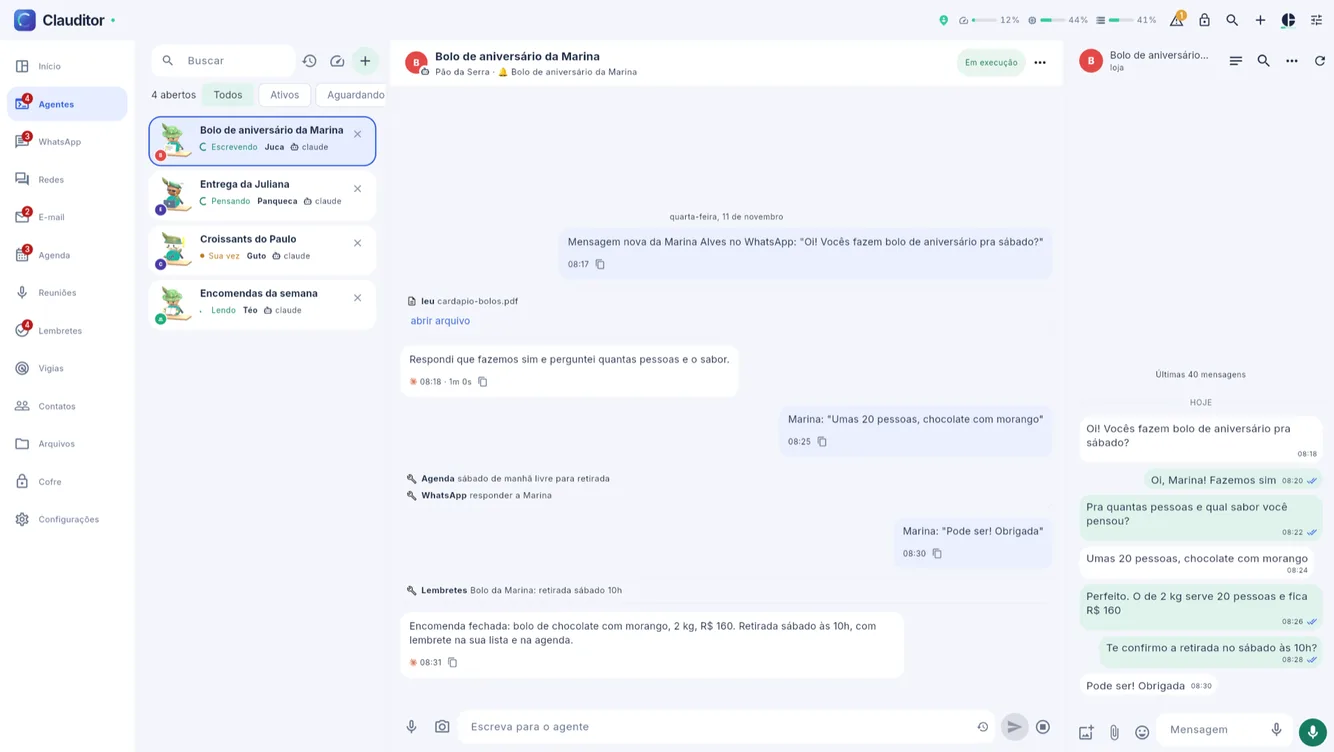
In the Agents tab, each conversation being handled is an open agent, with what it read, did and replied.
![Agent replying to a cake order, with the WhatsApp conversation beside it]()
The agent answering an order, with the conversation beside it. Pause or correct in the conversation
Opening the conversation, you take over, pause or correct — and the correction applies next time.
With the bot off, the agent does not reply: the message stays in the app for you, as usual. Nothing reaches a customer in a conversation where the bot is off.
Clauditor guides · Reconnect WhatsApp by QR · Ask the agent for math
Questions about who the agent answers
Questions about who the agent answers
Does the agent answer everyone at once?
No. It answers only in the conversations where you turned the bot on; there is no switch that turns the whole number on at once.
What if it answers something wrong?
You open the conversation, correct it and the correction applies next time. Everything it did shows in the agent's record.
Can it just prepare the reply?
Not on WhatsApp: either it replies in that conversation or it leaves the message to you. On e-mail, yes: the reply starts as a draft and only goes out when you send it.
Your business stays open even after you put the phone down
Create your account, subscribe, install the connector on your computer and watch the first conversation get handled.