Guide · WhatsApp
Reconnect WhatsApp by QR
Pairing drops when the device stays offline too long or the session expires. The way back is the same as the first time — and no conversation is lost.
R$ 1,599 per month for the first 3 months, R$ 1,999 after that. Runs on your computer, with your own Claude account.
Guide · WhatsApp
Reconnect WhatsApp by QR
See WhatsApp pending in Home
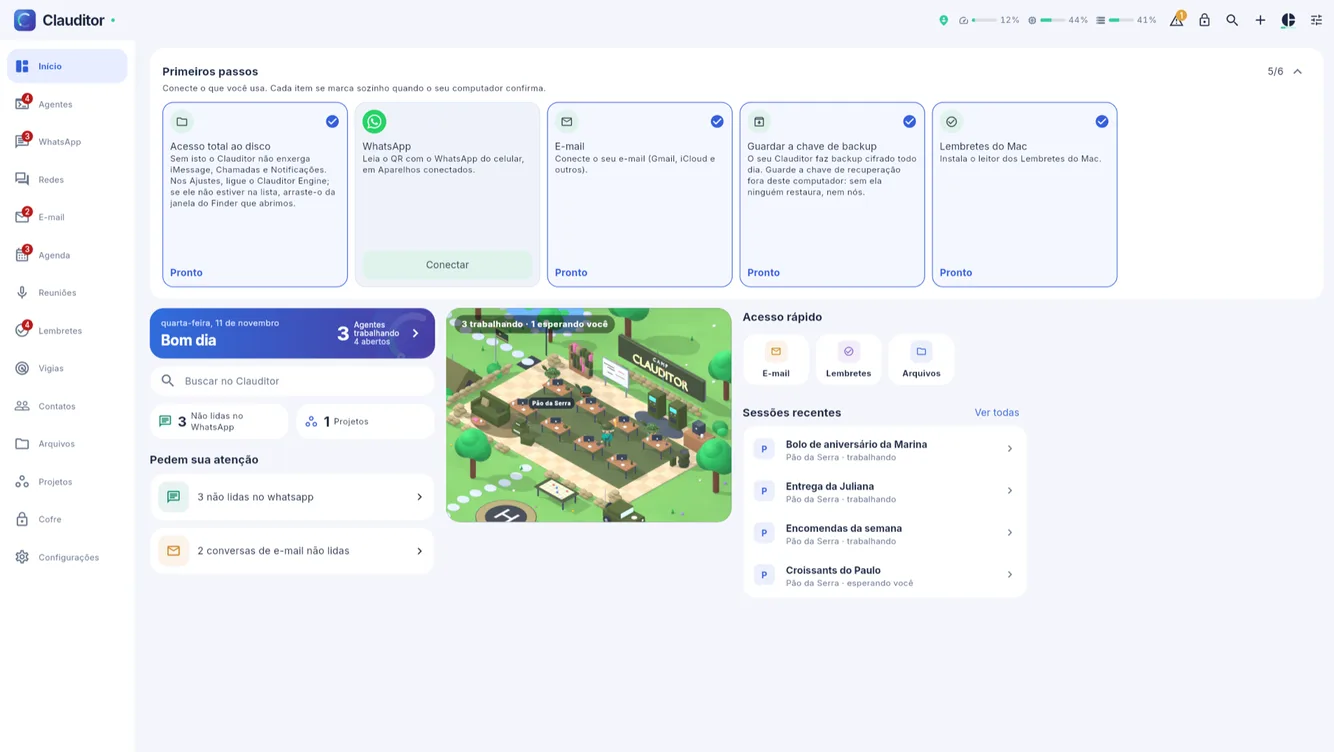
When pairing drops, the WhatsApp step reappears in the first-steps card, waiting for a Connect.
![Clauditor first-steps card with WhatsApp pending again]()
WhatsApp pending again in the first-steps card. Scan the QR again
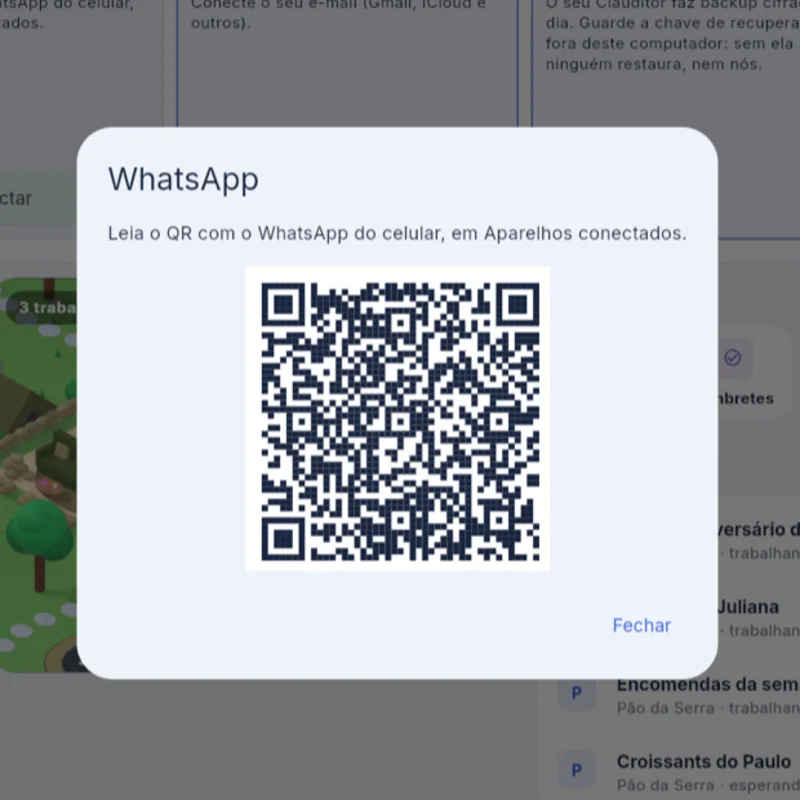
Tap Connect on the same number and scan the new QR in Linked devices, in the phone's WhatsApp.
![New QR shown by Clauditor to reconnect WhatsApp]()
The new QR for the same number. Conversations continue
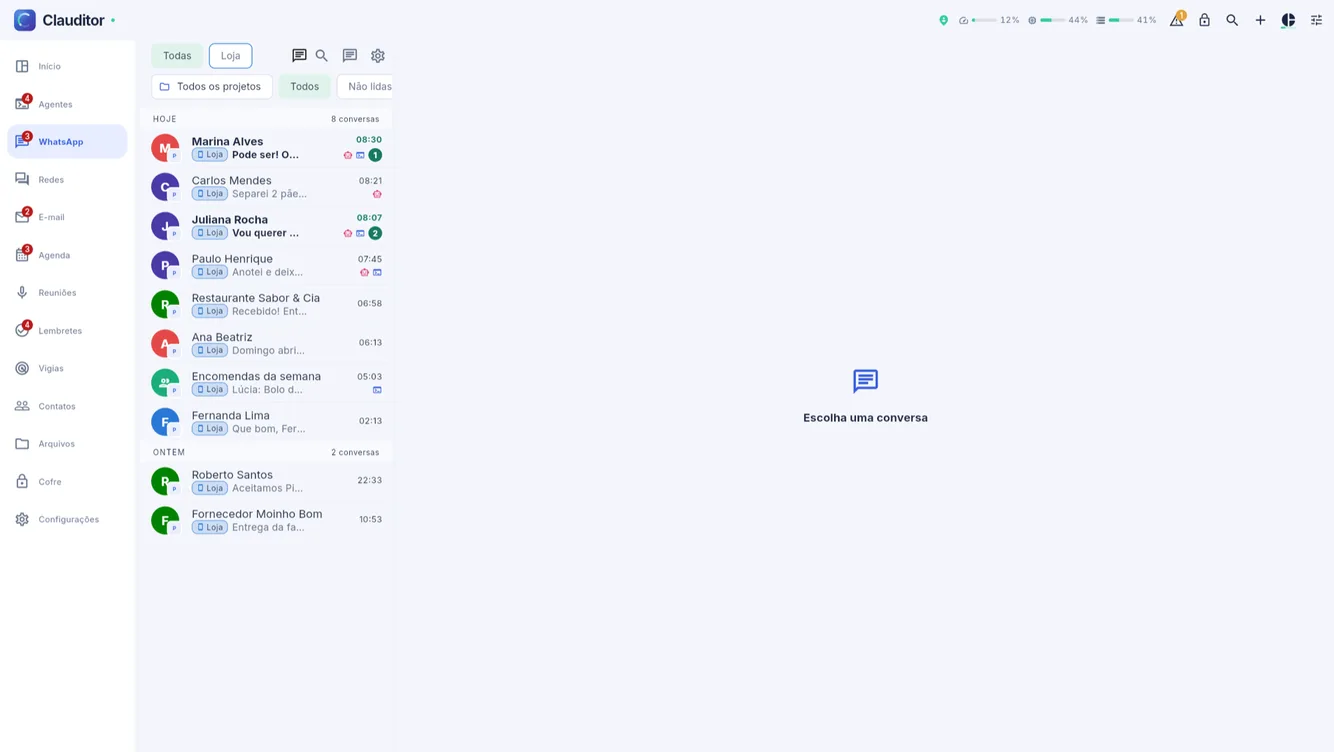
The history stays: conversations return to the same inbox, where they stopped. Do not delete the number to fix it — deleting loses its settings.
![WhatsApp inbox with conversations back after reconnecting]()
The inbox back, with history where it stopped.
The same path works for email that stopped arriving: open the inbox and reconnect from its screen.
Clauditor guides · Ask the agent for math · Connect WhatsApp by QR
Questions about reconnecting
Questions about reconnecting
Did I lose conversations while disconnected?
No. The history stays on the phone and returns to the inbox when the number reconnects.
Do I need to register the number again?
No. Tap Connect on the same number and scan the new QR. Deleting the number to redo it loses its settings.
It dropped again. Is that normal?
WhatsApp ends linked devices that stay unused too long or when the session is renewed. Reconnecting is always by the same QR.
Your business stays open even after you put the phone down
Create your account, subscribe, install the connector on your computer and watch the first conversation get handled.