Guide · WhatsApp
Connect WhatsApp by QR
The number you already use pairs with Clauditor as a linked device — the same path as WhatsApp Web. Three steps, nothing to install on the phone.
R$ 1,599 per month for the first 3 months, R$ 1,999 after that. Runs on your computer, with your own Claude account.
Guide · WhatsApp
Connect WhatsApp by QR
Open the first steps in Home
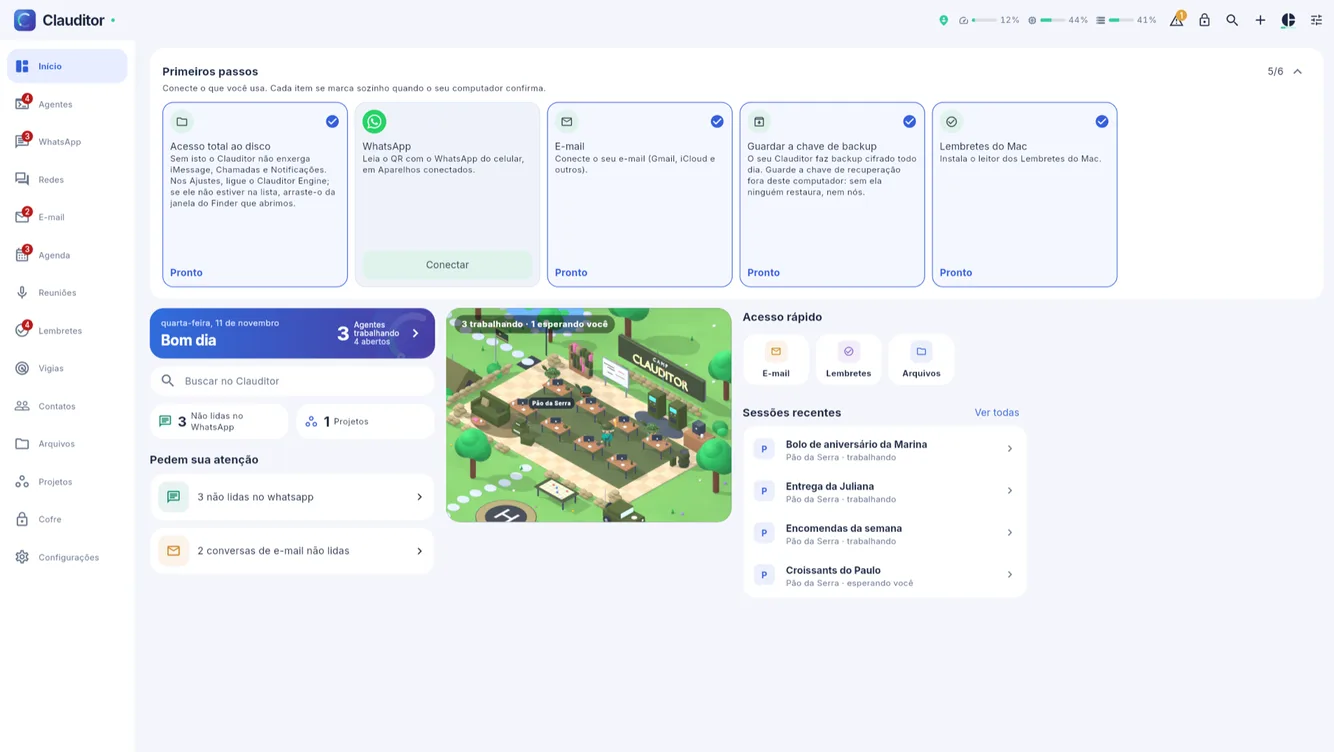
In Home of the Clauditor app (Windows, Mac, or phone), the first-steps card marks what is still to connect. The WhatsApp step waits for a Connect.
![Clauditor first-steps card with WhatsApp pending and a Connect button]()
The WhatsApp step in the first-steps card, still pending. Tap Connect and scan the QR
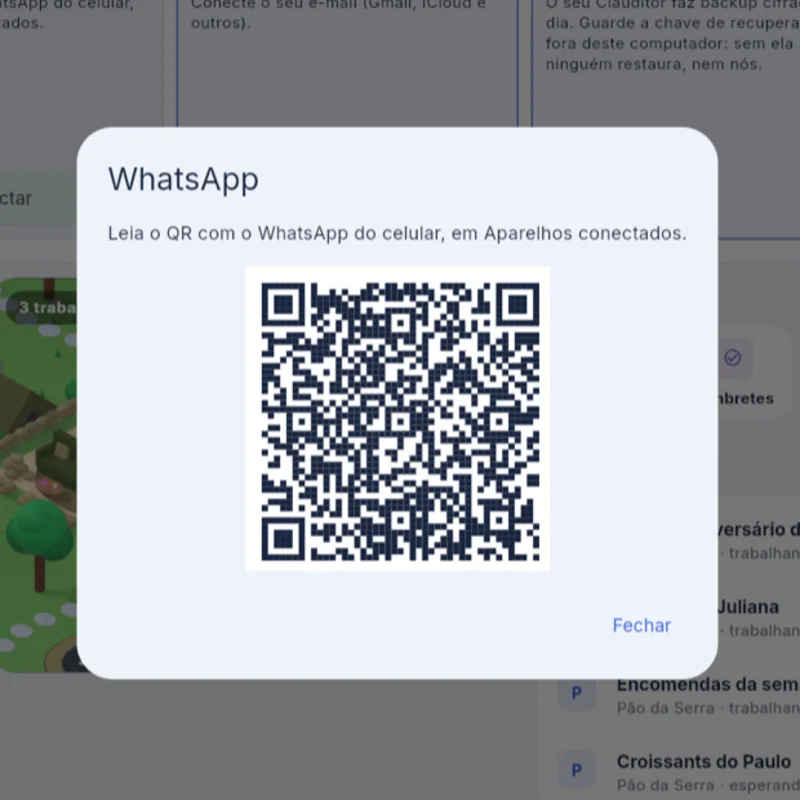
The app shows a QR. On the phone: WhatsApp, Linked devices, Link a device — and point the camera.
![Clauditor dialog showing the QR to pair WhatsApp]()
The QR the app shows to pair the number. Conversations arrive in the inbox
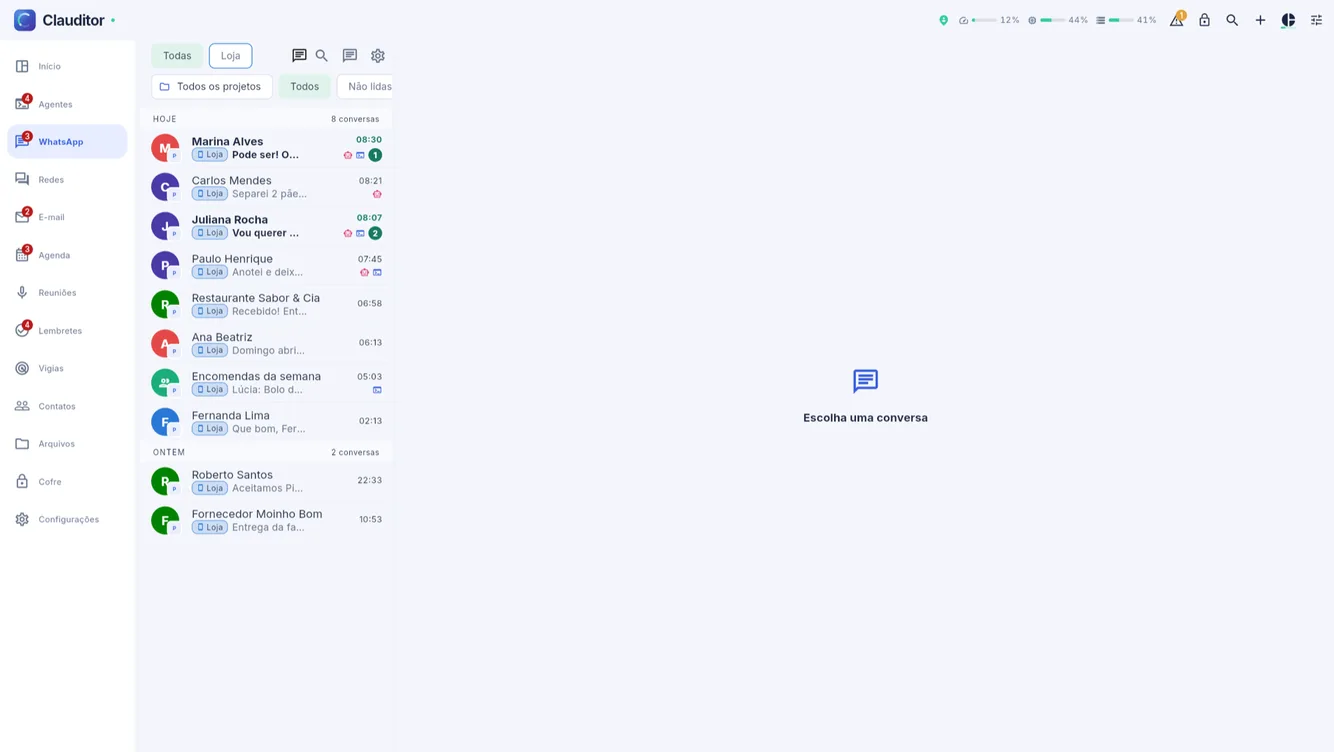
Once connected, the number's conversations appear in Clauditor's WhatsApp tab, by day and contact.
![WhatsApp inbox inside Clauditor with demo conversations]()
The WhatsApp inbox already inside the app.
Connecting does not make the agent answer anyone: it only starts reading. Who it answers on its own is your choice — the automatic answering guide shows where to turn it on.
Clauditor guides · Prices and lead times in the Instructions · Who the agent answers on its own
Questions about connecting WhatsApp
Questions about connecting WhatsApp
The number I already use?
Yes. Pairing works like WhatsApp Web: the same number stays on the phone and on Clauditor — no new number, no extra SIM.
Do I need the official WhatsApp Business API?
No. The connection is a QR scan in the app you already use. About the official API, the integrations hub explains the difference.
Does connecting make the agent answer?
No. Connecting only brings conversations into the app. The agent answers on its own only in the conversations where you turn the bot on, one by one.
Your business stays open even after you put the phone down
Create your account, subscribe, install the connector on your computer and watch the first conversation get handled.